> ## Documentation Index
> Fetch the complete documentation index at: https://docs.getenso.ai/llms.txt
> Use this file to discover all available pages before exploring further.
# Setup catalogue
> Setup your billing catalogue
## Terminology
**SKU** Any product or service that needs to be billed is called SKU. For e.g. Licenses, AI tokens, users, emails, platform fee etc.
**SKU Group** Skus can be grouped together for better structure under SKU Groups. Enso comes with a `default` SKU Group that can be used for quick setup.
## Create SKUs
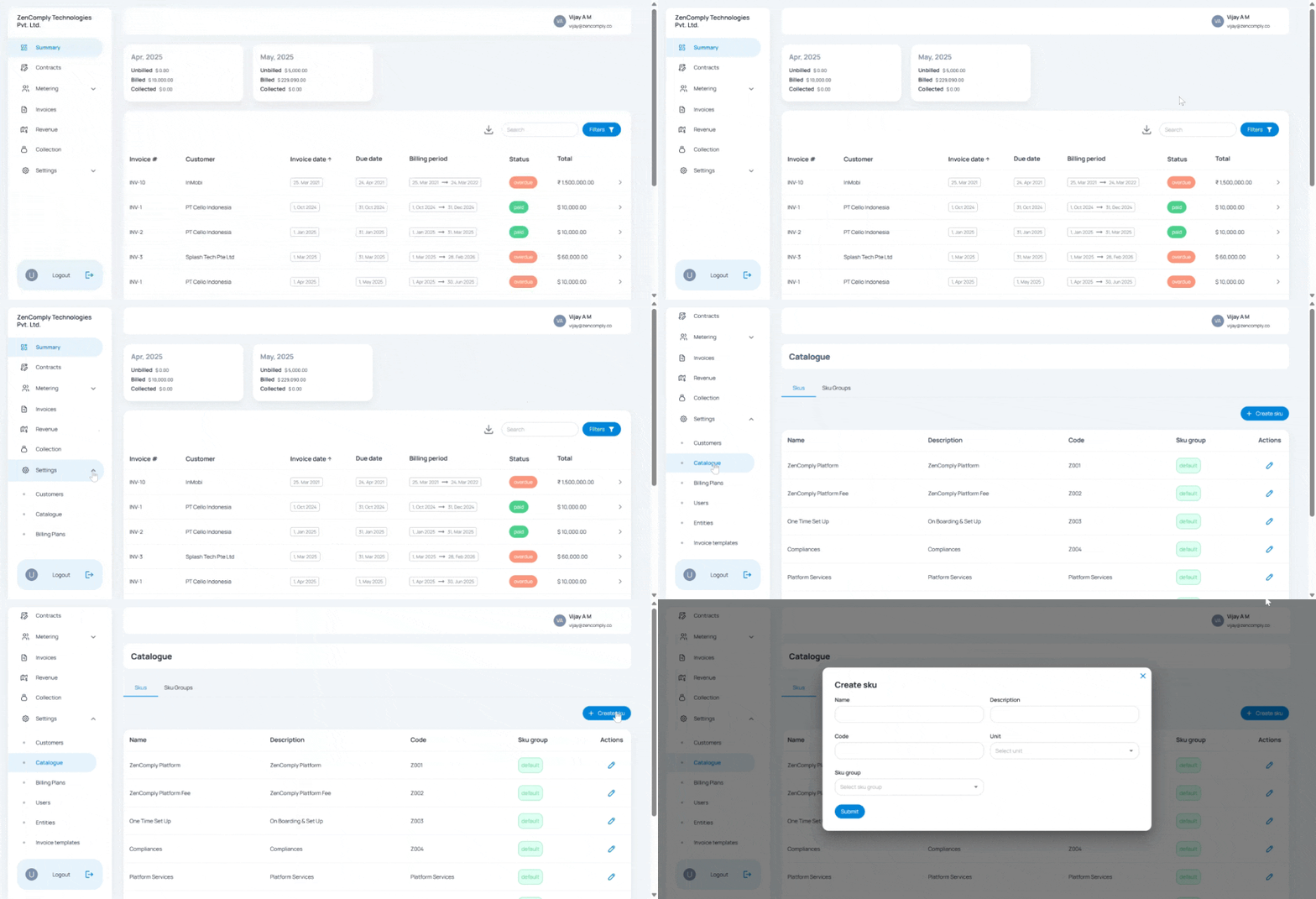
Navigate to **Settings** > **Catalogue** and under SKUs section, enter the following fields:
1. **Name** - Name of the product or service
2. **Description** - Description of the product or service
3. **Code** - SKU code that you want to assign
4. **Unit** - Unit of the SKU
5. **Sku Group** - Group under which you want to keep your SKU.